JIRA Project Management Guide Tools & Best Practices

Boost team productivity and efficiency with our expert JIRA setup and customization services. At Pinblooms, we help businesses implement JIRA to manage workflows, track issues, and deliver projects faster Get tailored solutions that fit your team’s unique needs.

WooCommerce Development

Project management software has become essential for helping teams work efficiently, maintain transparency, and deliver projects on time. Among the most powerful and widely used tools is JIRA, developed by Atlassian, which is known for its strong issue tracking and project management capabilities.

JIRA Project Management Guide helps teams across industries manage tasks, streamline workflows, and improve collaboration—whether they follow Agile practices or not. With its flexible features and customizable workflows, JIRA supports everything from sprint planning to reporting.

JIRA Project Management Guide, brought to you by Pinblooms, offers a complete overview of how JIRA can be used to improve project management. Whether you’re in software development, marketing, HR, or customer support, you’ll learn how to make the most of JIRA’s tools to boost productivity and keep your team aligned.


ios app development image

Best Practices for Using JIRA

  • Define clear issue types and workflows before onboarding users.
  • Use epics to group related tasks and track large initiatives.
  • Maintain a clean backlog by regularly grooming tasks.
  • Use components and labels for better organization.
  • Automate routine actions like assigning tickets or updating status.
  • Create dashboards for different stakeholders.
  • Regularly review reports and metrics.

How JIRA Supports Agile Methodologies

JIRA has built-in support for Agile project management, making it ideal for:

  • Scrum Teams: With tools for sprint planning, backlog prioritization, and sprint reviews.
  • Kanban Teams: With continuous flow boards, WIP limits, and cumulative flow diagrams.
  • Scrumban and Hybrid Models: Combining features to adapt to customized team workflows.

JIRA helps teams to:

  • Organize stories and tasks
  • Plan sprints and releases
  • Monitor burndown charts
  • Evaluate sprint retrospectives
  • Enhance predictability and transparency

Benefits of Using JIRA for Project Management

Supports Agile Development

JIRA natively supports Agile methodologies like Scrum and Kanban, enabling teams to effectively plan sprints, manage backlogs, and track team velocity.

Enhanced Team Collaboration

JIRA promotes transparency and collaboration by allowing every team member to see the status of tasks, ownership, due dates, and blockers.

Customizable for Any Workflow

JIRA allows you to customize workflows, screens, issue types, and fields to match your team’s specific needs.

Scalability

JIRA can handle simple to complex project needs, from startups to large enterprises with thousands of users.

Real-Time Visibility

Dashboards and reports provide stakeholders with real-time insights into project status, sprint progress, team performance, and more.

Traceability and Accountability

Every action is logged, making it easy to trace decision-making, changes, and progress.

What is JIRA?

JIRA is an all-around project management and issue-tracking software tool aimed at enabling teams to plan, monitor, and deliver software or general business projects. Initially developed for the tracking of bugs and issues, JIRA has grown to accommodate all types of project workflows, such as Agile software development and non-technical applications.

JIRA is highly flexible, has customizable workflows, and powerful reporting capabilities, and hence can be used by small teams as well as large corporations.

Key Features of JIRA

Why Choose WooCommerce
  • Issue and Task Tracking: Create, assign, and monitor issues like bugs, tasks, and user stories.
  • Scrum and Kanban Boards: Visual boards for managing sprints and continuous workflow.
  • Custom Workflows: Tailor workflows to match business processes.
  • Backlog Grooming: Prioritize and organize work in the backlog.
  • Sprint Planning and Management: Define sprint goals, assign work, and track progress.
  • Advanced Reporting: Burndown charts, velocity reports, cumulative flow diagrams, and more.
  • Role-Based Access Control: Secure and manage user roles and permissions.
  • Roadmaps: Visual planning tools for tracking long-term goals and dependencies.
  • Automation Rules: Streamline repetitive tasks with rule-based automation.

JIRA Components Explained

Projects

Each project in JIRA is a container for issues, configurations, and workflows specific to that team or product.

Issues

Everything in JIRA revolves around issues. An issue could be a bug, story, task, epic, or sub-task.

Boards

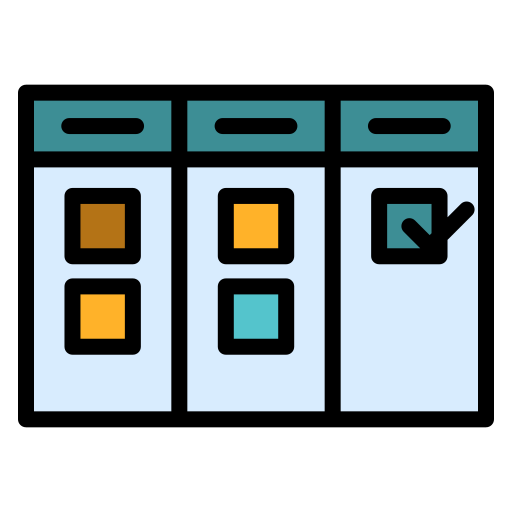
Boards help visualize workflows. They can be Scrum or Kanban boards.

Workflows

Workflows define the steps an issue must go through from creation to completion.

Epics and Stories

Epics are large bodies of work that can be broken down into smaller stories or tasks.

Custom Fields and Screens

Tailor the issue forms to collect the information your team needs.

JIRA Components Explained

Software Development Teams

Software Development Teams

  • Sprint planning
  • Bug tracking
  • Feature development
  • Release management
Marketing Teams

Marketing Teams

  • Campaign planning
  • Content production
  • Event coordination
Customer Support

Customer Support

  • Ticket resolution
  • SLA tracking
  • Feedback loops
HR Teams

HR Teams

  • Recruitment workflows
  • Onboarding processes
  • Employee engagement tracking

JIRA is a strong, adaptable, and highly customizable platform that makes projects more visible, collaborative, and efficient. Regardless of whether your team adheres to Agile methodologies or not, JIRA offers the necessary tools to deal with tasks, monitor progress, and produce top-notch results. With the expertise of Pinblooms, you can unlock JIRA’s full potential and tailor it to fit your unique workflow needs. Due to its rich set of features and integrations, it becomes an irreplaceable resource for contemporary project management.

Integrations and Automation

Popular Integrations

  • Confluence: Link project documentation.
  • Bitbucket/GitHub: Sync code commits and pull requests.
  • Slack/MS Teams: Get real-time updates and notifications.
  • Trello: Visual task management.
  • Zapier: Connect JIRA to hundreds of external tools.

Automation Examples

  • Auto-assign issues based on category or component
  • Send alerts when issues are overdue
  • Transition issues when code is merged
  • Add watchers automatically based on criteria
CONTACT US

Get Customized Solutions, Recommendations, and Estimates for Your Requirements.

100% Confidential
We sign NDA
Or Reach Out To Us At

[email protected]

Fill out the form and we will contact you